
 Nyuchi
Products · iPhone appBeta
Your student ID, in Apple Wallet.
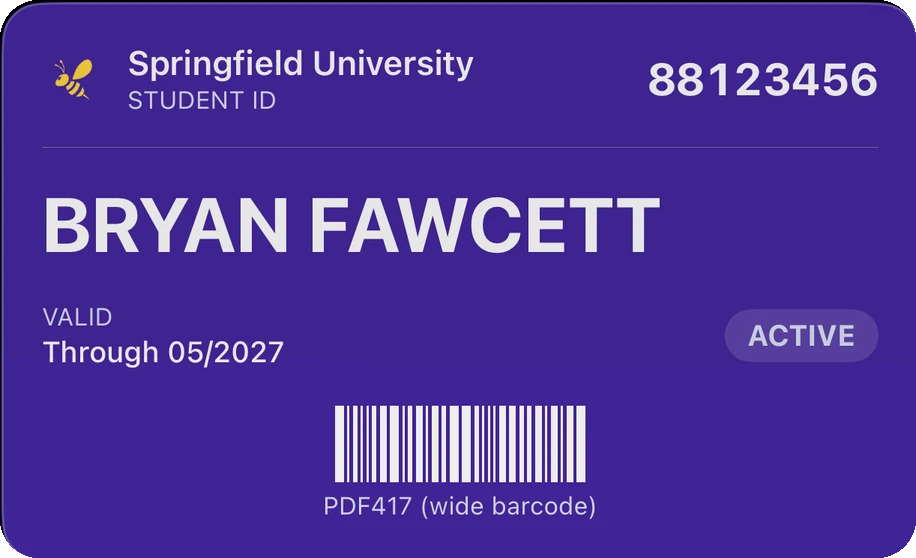
Scan your card. Theme your pass. Add to Wallet. Nothing leaves your iPhone.
How it works
Three steps. All on your phone.
Step 1
Scan
Point the camera at your card's barcode.
Step 2
Style
Pick a theme, photograph the front and back of your card.
Step 3
Add
Add the signed pass to Apple Wallet.
On the pass
Your card's face, on the pass
The front photo of your card renders on the face of the Wallet pass. Both photos travel inside the signed pass file and are viewable — pinch to zoom — in the app.
On the pass
Prepaid balance field
If your card doubles as a stored-value card, keep a PREPAID balance on the pass. You maintain it yourself — the app is offline by design, so balances never auto-update.
Privacy
Nothing leaves your iPhone.
- No servers.
- No accounts.
- Zero network requests.
This is an architecture fact, not a policy: the app contains no networking code, so there is nothing to upload and nothing to leak. The App Store privacy label reads “Data Not Collected”.Read the privacy page.
Themes
Seven themes from the Mzizi heritage palette.
Every pass carries the same barcode as your card, so optical readers accept it whichever theme you pick.
Savanna
Sun-dried gold — the house style
Baobab
The tree of life, bark tones
Indigo Dusk
The dyer's craft, deep dusk
Sunset
The African horizon at dusk
River
Zambezi, Nile, Congo — the journey
Kalahari
Open sand, warmth, the light pole
Hematite
Foundation, endurance, substrate
How far this pass goes
The most any app can legitimately do, done properly.
A real, signed Apple Wallet pass carrying your card's barcode and your ID.
Works
- Dining halls
- Library check-out
- Printing
- Events and any check-in that scans a barcode or looks at your card
Not possible for anyone
- Opening contactless doors. That credential is issued by your school through Apple's official program. No app can copy it into Wallet, and CampusPass does not pretend to.
Running an Apple Wallet ID program?
CampusPass is a stopgap for students until their school issues an official Wallet ID. If you run that programme, talk to Nyuchi.